A street address with your own box number, each item logged in your dashboard, and parcels from the major carriers at most partner locations.
Get Your AddressThe main alternatives to a PO box in Canada are a virtual mailbox, a private mailbox store, a virtual office, and two Canada Post services, FlexDelivery and General Delivery. Which one fits depends on what you need the address for. For a street address you manage online, a virtual mailbox from C-Band Mailbox gives you a partner location's street address with your own box number; each item is logged in your dashboard with an image of the envelope, and you request scans, forwarding or pickup as your plan allows. A private mailbox store typically gives you a street address with in-person pickup. A virtual office is another way to get a business address without leasing space. For online orders, FlexDelivery sends parcels to a post office you choose for pickup; while you travel, General Delivery holds your mail at a post office for up to 4 months. For registration, banking and parcel rules side by side, see our virtual mailbox vs PO box comparison.

One dashboard for your address, your mail and every action, always up to date.
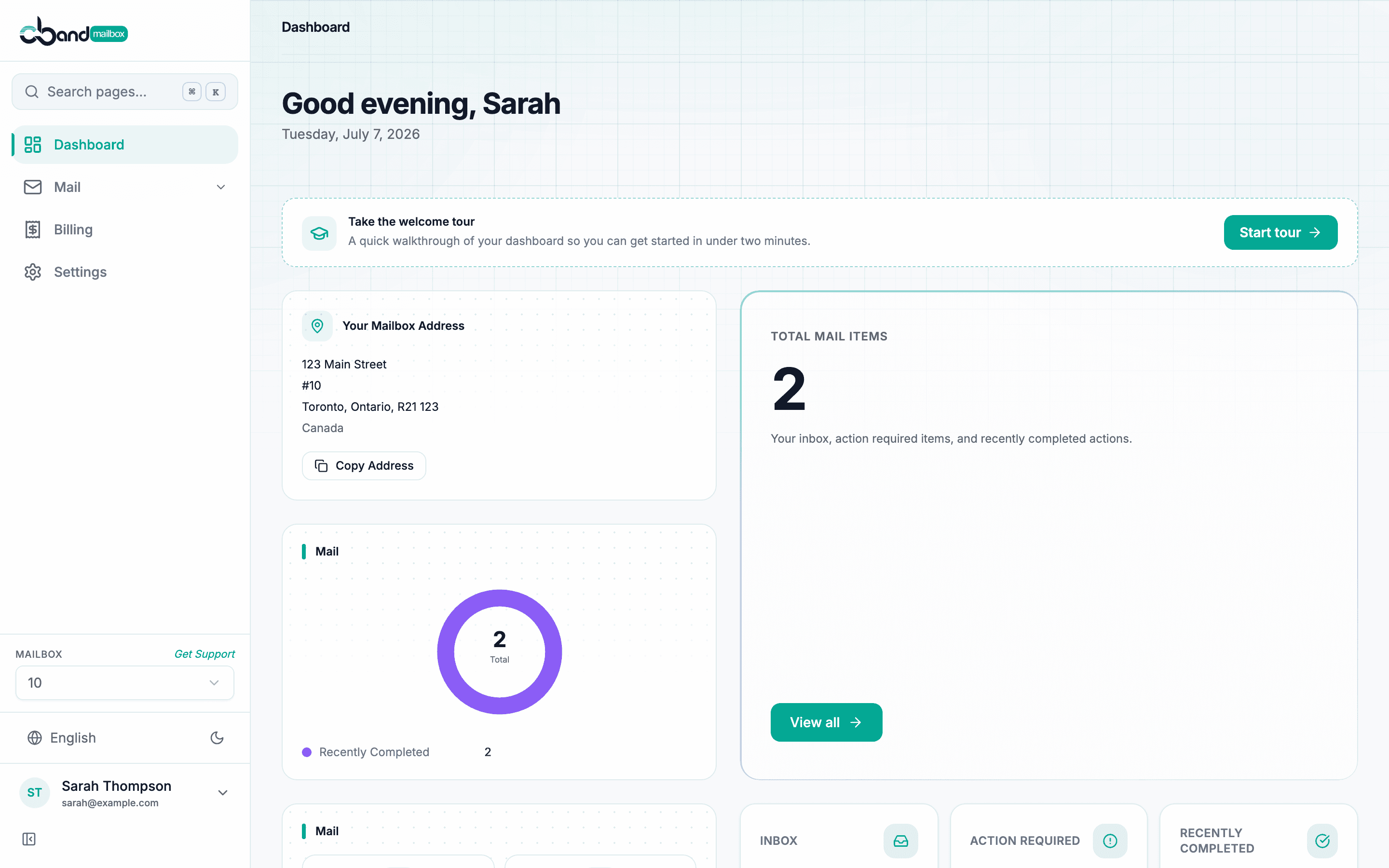
Real street address, not a PO box number
Each item logged in your dashboard with an envelope image
Packages from the major carriers, where the location accepts them
Manage everything from your phone
Personal information handled under PIPEDA
24/7 online access to your mail
A PO box works well for Canada Post mail. Here is who makes the switch and why:

A PO box receives only items sent through Canada Post approved services, so parcels that UPS or FedEx deliver themselves need a street address. A virtual mailbox gives you one: most partner locations accept UPS and FedEx parcels, and you can put the address on your website.

Use a street address with your own box number on your store, invoices and packing slips instead of your home address.

Working from home or on the road, you keep one street address while you move around and see each item in your dashboard wherever you are.

Gone for months at a time? See your mail online from Florida, Mexico, or anywhere with an internet connection.
From PO Box to virtual mailbox in 4 steps. Simple setup, monthly or annual plans, and you start receiving mail once your account is approved.
Choose a location and a plan, sign up online and pay at checkout; your street address and box number appear in your dashboard once your payment is confirmed. Then upload two government-issued photo IDs, proof of your current residential address and a selfie holding your ID; the platform checks them and the location approves your account.
Once your account is approved, redirect your mail to your new address. Most partner locations accept letters and parcels from the major carriers, such as Canada Post, UPS, FedEx, Purolator and DHL; each location sets what it accepts, so ask before you have parcels sent: through our contact page before you sign up, or from your dashboard once you have an account.
When mail arrives, the partner location logs it with an image of the envelope exterior, and you see it in your dashboard and get an email by default.
Open and scan contents, forward the original, store it, shred it, or recycle it, as your plan allows. Every decision is yours.
A Canada Post PO box next to a virtual mailbox at a partner location; requests as your plan allows.
Address type
Package carriers accepted
Mail scanning
Online access
Mail forwarding
Business hours
Secure shredding
Common questions about PO box alternatives in Canada.
Can't find your answer? Contact us→