C-Band Mailbox
Page banner background

Virtual Mailbox for Remote Workers

One stable address wherever you go. Access your mail online, request scans, and forward packages where the location ships. Work from anywhere and see each letter as the location logs it.

Get Your Address

See it in action

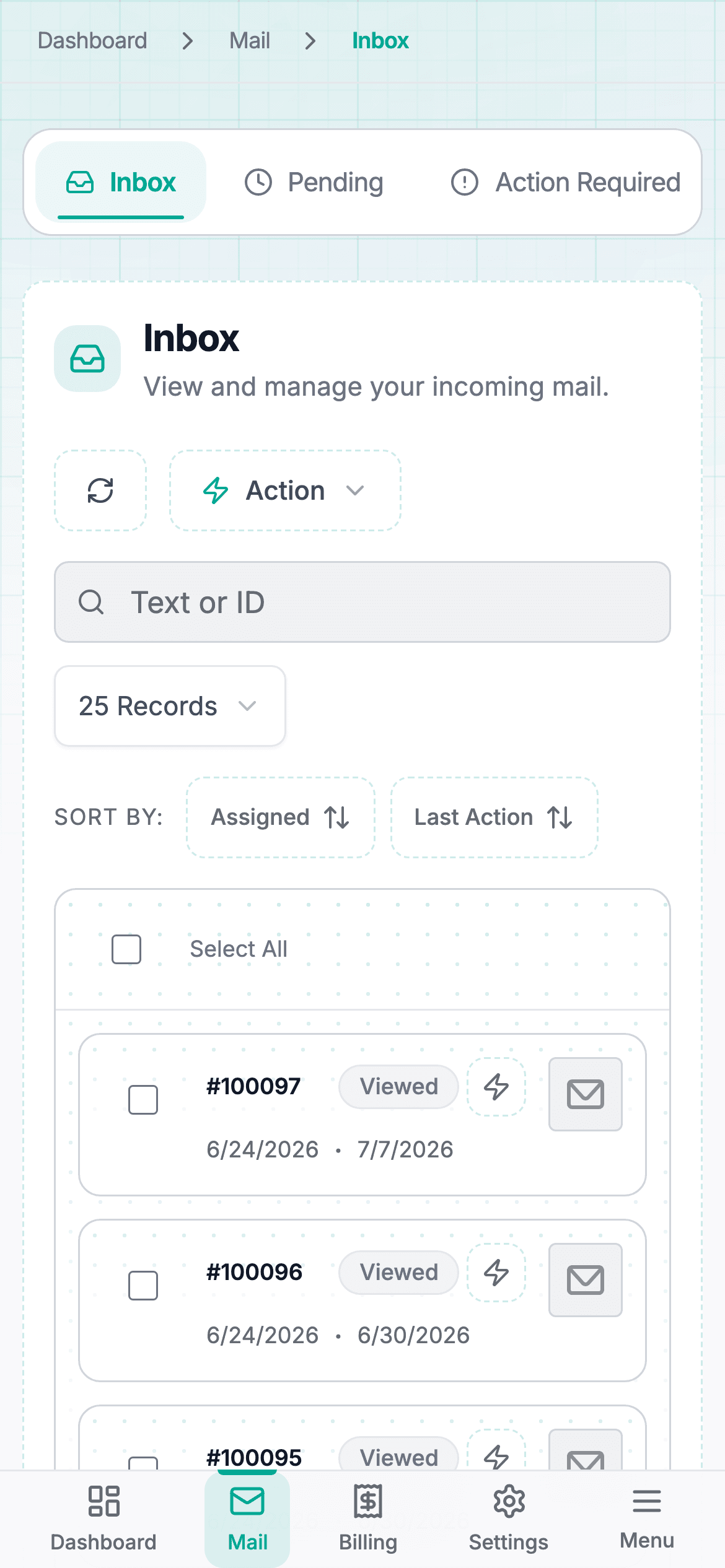
Your mail lands in a clean inbox with an image of each envelope: read your scans, search your mail and act on it from anywhere.
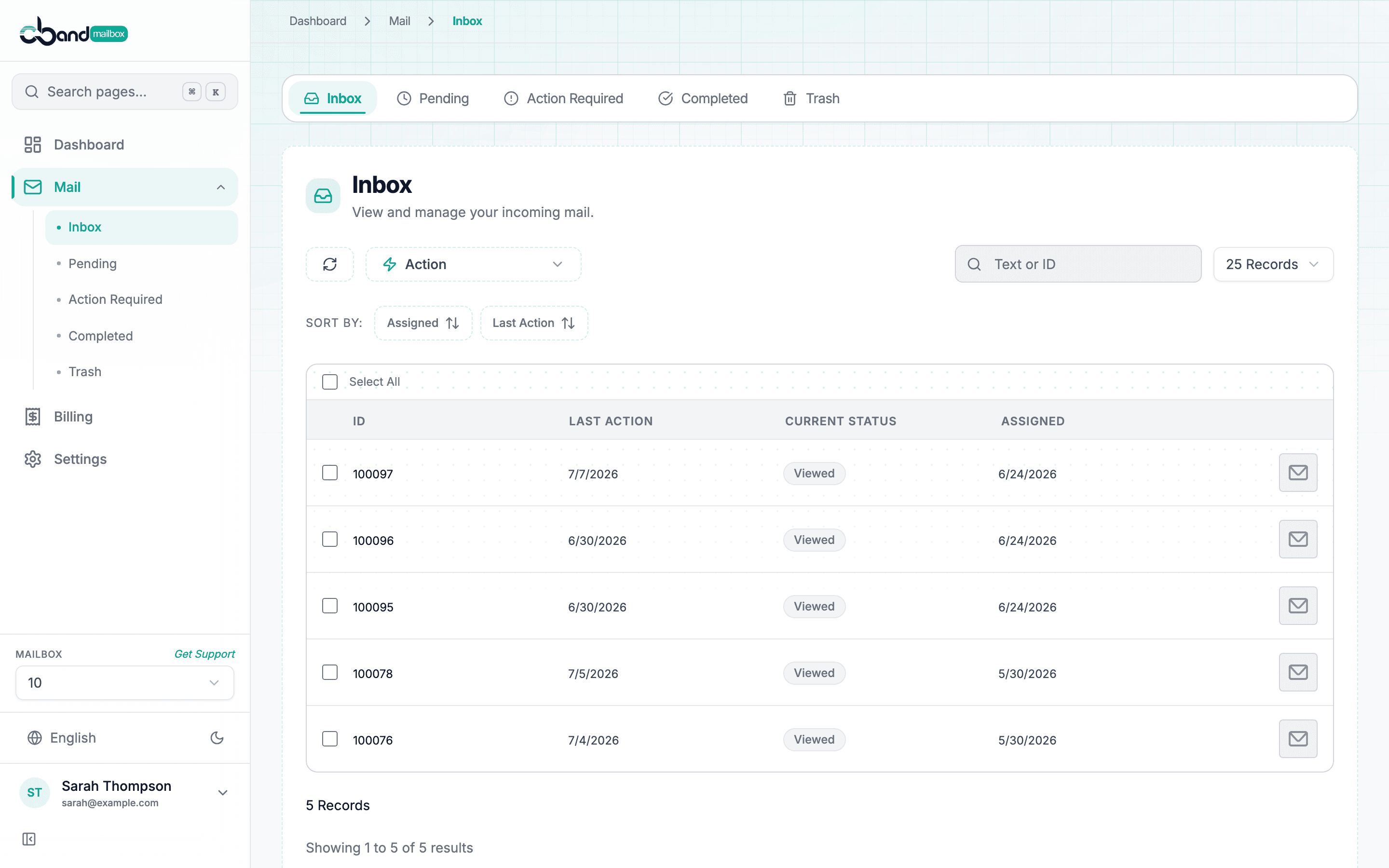
C-Band Mailbox inbox with scanned mail items

Stable address no matter where you work

Access your mail from any location worldwide

Mail scanning and notifications

Personal information handled under PIPEDA

Forward packages where the location ships

Full mobile dashboard for on-the-go management

One Address That Follows You

Remote workers need stability without being tied to one location. Whether you move between cities, work from coffee shops across the country, or spend months abroad, your mail keeps arriving at the same address. A virtual mailbox gives you a real Canadian street address with your own box number. Every piece of mail is logged with an image of the envelope, and you request scans of the ones you want to read. You decide what to forward, store, or shred from your phone or laptop. No more asking friends to check your mailbox: you see bills, tax documents and renewal notices as the location logs them. One address, accessible from anywhere in the world.
Remote worker managing mail through a virtual mailbox dashboard on a laptop

Who Uses a Virtual Mailbox for Remote Work?

From digital nomads to hybrid employees, remote workers choose virtual mailboxes for these reasons:

1

Digital Nomads

You travel constantly but still need a stable Canadian mailing address for banking, government mail, and subscriptions; each institution sets its own address rules. Your virtual mailbox stays put while you explore.
2

Hybrid Workers

You split time between home and other locations. A virtual mailbox lets you see important mail as the location logs it, even when you are away from your primary address.

3

Frequent Movers

Changing addresses every lease means updating dozens of accounts each time. One stable virtual address saves you from updating your mailing address at every move.

4

Cross-Province Workers

Working in one province while maintaining ties in another? A virtual mailbox gives you a stable address regardless of where your current assignment takes you.

How It Works

From signup to managing your mail remotely in 4 simple steps. Monthly or annual plans you can end from your dashboard, and your address appears there once your payment is confirmed.

1

Sign Up and Get Your Address

Choose a plan and pay at checkout; your Canadian street address and box number appear in your dashboard once your registration payment is confirmed. You can receive mail there once your account is approved.

2

Update Your Accounts

Give your new address to banks, government agencies, subscriptions, and employers as your mailing address; each sets its own address rules. Your mail then arrives at one partner location.

3

The Location Receives and Logs Your Mail

When the location logs your mail, it scans the envelope and you get a notification. Request interior scans of documents to read them online.

4

Manage Everything From Anywhere

Forward packages to your current location where the partner location ships, read scanned documents on your phone, shred junk mail, or keep items at the location within your plan's storage rules for a later pickup. You are always in control.

Traditional Mailbox vs Virtual Mailbox for Remote Workers

See why remote workers choose a virtual mailbox over a traditional mailbox

Access location

Traditional Mailbox Must be physically present to check mail
C-Band Virtual Mailbox Access from anywhere in the world online

Mail visibility

Traditional Mailbox No idea what arrived until you check in person
C-Band Virtual Mailbox Envelope images and email notifications

Address changes needed

Traditional Mailbox Update every account each time you move
C-Band Virtual Mailbox One stable address while you move

International access

Traditional Mailbox No access when travelling or working abroad
C-Band Virtual Mailbox Full online access; forwarding where the location ships

Mail forwarding

Traditional Mailbox Must arrange with Canada Post, limited duration
C-Band Virtual Mailbox Forward requests to a saved address where the location ships

Package handling

Traditional Mailbox Missed deliveries and pickup notices
C-Band Virtual Mailbox Major carriers at most locations, received by the location

Mobile management

Traditional Mailbox No mobile tools for physical mailbox
C-Band Virtual Mailbox Full dashboard on phone and laptop

Frequently Asked Questions

Common questions about using a virtual mailbox for remote work.

Can't find your answer? Contact us→

Yes, as your mailing address. Your C-Band address is a real Canadian street address with your own box number at a partner location. You can give it to banks, the CRA and other agencies as your mailing address; each one sets its own address rules, so confirm before you rely on it.

It depends on your location. You receive a notification when the location logs your mail, with an image of the envelope in your dashboard, and interior document scans are done when you request them. The platform sets no fixed time, so ask your location about its usual turnaround.

Yes, to the countries your partner location ships to, as your plan allows. You can forward mail and packages to a saved address, choose a service preference and attach your own prepaid label if you have one. The location picks the carrier and sets the shipping and handling amount for each shipment.

Nothing changes on your end. Your virtual mailbox address stays the same regardless of where you live. Save your new address and pick it when you request a forward of physical items, where the location ships.

Your mail is handled by the partner location you choose, under its operator agreement, and personal information is handled under PIPEDA. Scanned documents are stored with AES-256 server-side encryption on AWS, your dashboard is protected by your password, and contents are scanned on your request. Physical mail is kept at the location within your plan's storage rules.

Most partner locations accept deliveries from the major carriers, such as Canada Post, UPS, FedEx, Purolator and DHL; each location sets what it accepts, so check the location page.

No. You can manage your virtual mailbox online from anywhere in the world, which suits Canadians working or travelling abroad.

Plans are set by each location with monthly or annual terms. From Settings you can end a mailbox at the end of its current period or request account closure, and your location can move you to another of its plans. Before you close, give each item a forward, pickup, shred or recycle request early enough for the location to complete it; pending requests are cancelled on termination, and items left without arrangements can be returned to sender, shredded or recycled under the renter terms and any location terms you accepted.