C-Band Mailbox
Page banner background

Mail Forwarding from Your Virtual Mailbox in Canada

Forward your mail and parcels from your partner location to a saved address of your choice. Scan first, then decide what to forward.

How does mail forwarding work with a virtual mailbox?

With a virtual mailbox, mail forwarding is a shipment you request: items at your partner location are sent to an address you saved. When mail appears in your dashboard, you select items, choose Forward, pick a saved address and a service preference, and can attach a prepaid label or a note. The C-Band partner location packs the items, picks the carrier or uses your label, and sets the shipping and handling amount. On completion you get an email (on by default) and the item shows under Completed with its amount.

  1. Mail arrives at your partner location and, once the location logs it, appears in your dashboard Inbox; you can request a scan first.
  2. You select one or more items from the same location and choose Forward; one request can hold several items.
  3. You pick a saved address and a service preference, choose whether to request insurance or tracking (charges may apply), and can attach your own label.
  4. The location groups the items into shipments, picks the carrier or, if it accepts your label, uses it, and sets the shipping and handling amount.
  5. On completion an email (on by default) lists the amount, the item shows it under Completed, and any invoice for it appears under Billing.

What Is Mail Forwarding?

Mail forwarding is a service that receives your postal mail at a fixed street address and ships it on to an address you choose: your home, your office or, where the location offers it, an address in another country. Instead of depending on a single mailing address, you keep one address that stays the same when you move or travel.

With C-Band Mailbox, each item the location logs appears in your online dashboard. You choose what to forward and when: send items one at a time, or select several and submit them as one forward request that the location groups into shipments. Each partner location ships with the carriers it has enabled.
Mail forwarding service from a Canadian street address

See it in action

Request a scan, a forward or shredding from your dashboard and track every request to the finish.
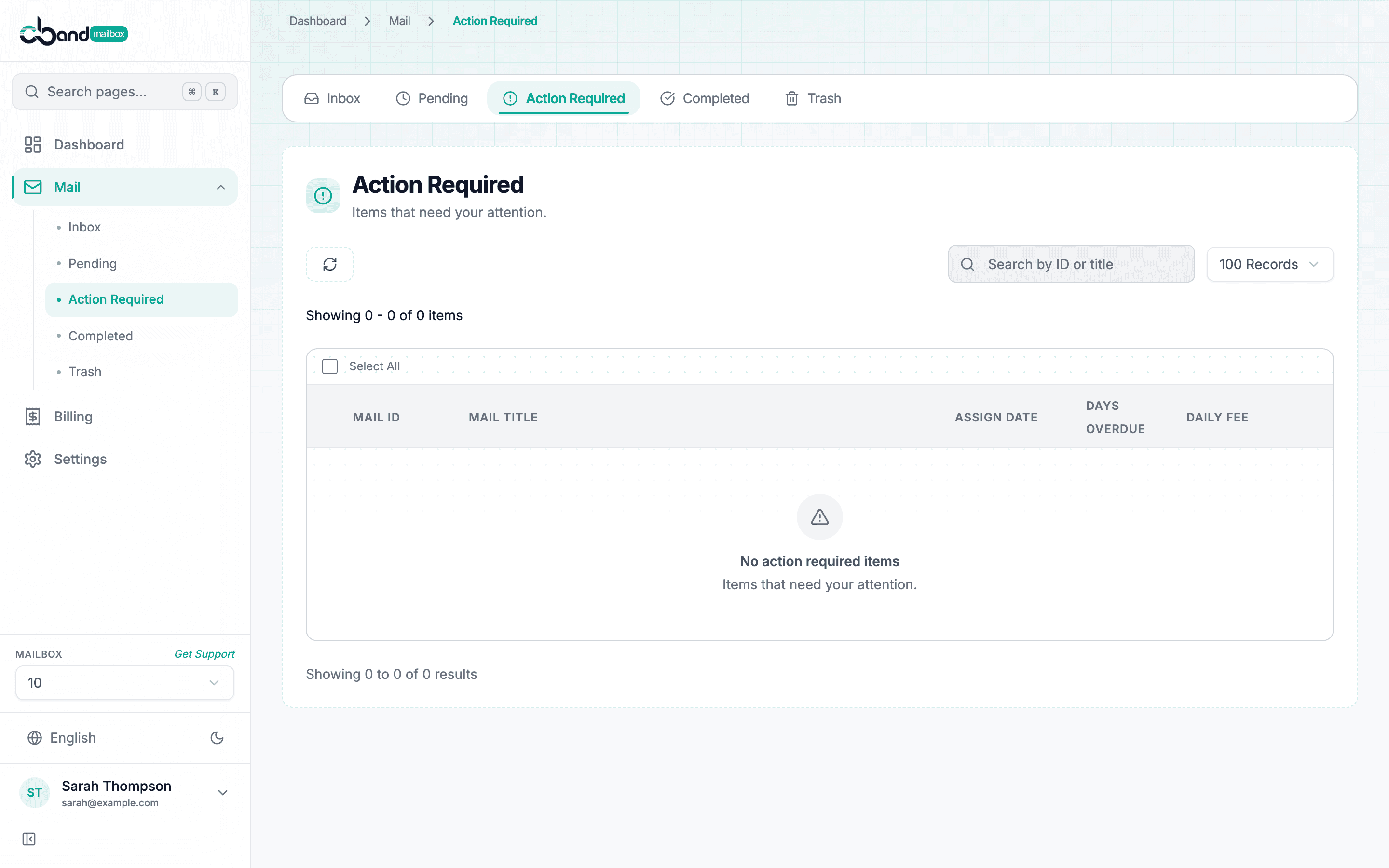
Mail action requests screen in the C-Band Mailbox dashboard

Partner locations in Canada

Same dashboard at every location

Dashboard in English, French, Spanish and Turkish

Mail Forwarding in Real Life

Jay travels often without a fixed address. Using a virtual mailbox as a forwarding address, he requests forwarding to the address where he is staying, where his location ships. No repeated change of address paperwork.

A forwarding service and address in one. Your one hub wherever you are.

Real-world mail forwarding use case

Mail Forwarding Features

Receive, manage and forward your mail from your partner location

  • 01

    For Travelers and Expats

    A street address that stays the same while you travel; scan first, then forward what you need.

  • 02

    Your Mail, Not Your Home Address

    Use a street address at a partner location for your mail instead of your home address.

  • 03

    Business Ready

    Use forwarding and scanning from one dashboard for business correspondence.

  • 04

    Your Own Shipping Label

    Attach your own prepaid label to a forward request; the location can ship with it.

  • 05

    Any Saved Address

    Save forwarding addresses in Canada, the United States or another country; international shipping is available where the location offers it.

  • 06

    Mail Scanning

    Request a scan and read the contents before deciding to forward or shred.

Virtual Mailbox vs PO Box vs Forwarding Only

Compare what you get with C-Band Mailbox, a PO Box and simple forwarding

Professional Business Address

C-Band Mailbox Yes
PO Box No
Simple Forwarding No

Courier & Package Deliveries

C-Band Mailbox Major carriers at most locations; check location page
PO Box No
Simple Forwarding No

Online Mail Dashboard

C-Band Mailbox Web and iOS app
PO Box No
Simple Forwarding No

Mail Scanning

C-Band Mailbox On request; amounts set by location
PO Box No
Simple Forwarding No

Forwarding on Request

C-Band Mailbox To a saved address; abroad where the location offers it
PO Box No
Simple Forwarding Yes

Authorized Recipients

C-Band Mailbox Named recipients added in Settings; verification applies
PO Box No
Simple Forwarding No

Digital Archive

C-Band Mailbox Scans in your dashboard
PO Box No
Simple Forwarding No

Mail Forwarding Address and Service

Mail Forwarding

Forward letters and parcels from your partner location to a saved address; international destinations where the location offers them.

Mail Consolidation

Several items from the same location can go in one forward request.

Real Street Address

A street address at a partner location for personal and business mail.

Mail Opening & Scanning

Request a scan to read the contents online.

Shredding on Request

Dispose of unwanted mail with a shredding request, before or after a scan.

Mailbox app

Related Articles

Frequently Asked Questions

Find all you need to know about your mail forwarding service.

Can't find your answer? Contact us→

Mail arrives at your partner location and, once logged, appears in your dashboard. Select the items, choose Forward, pick a saved address and a service preference, and add a prepaid label or a note if you want. The location packs the shipment, picks the carrier and sets the amount. When it completes the request you get an email, on by default, and the item moves to Completed with its amount.

Forwarding works the same way at every partner location. Senders write to the street address of the location you choose on the locations page. When the location logs an item, it appears in your dashboard; you select it, choose Forward and pick a saved address in Canada or, where the location ships there, in the United States or another country. Most partner locations accept parcels from the major carriers, such as Canada Post, UPS, FedEx, Purolator and DHL; check the location page. If you are moving, our guide to mail forwarding in Canada covers running a Canada Post redirect from your old address alongside.

First save a forwarding address in your dashboard under Settings, Forwarding Addresses. When an item arrives at your partner location and shows in your Inbox, open it, choose Forward, pick the saved address and a service preference, and submit. More dashboard guides are in the renter Help Center.

Yes. A parcel the location has logged goes through the same Forward request as a letter. Most partner locations accept parcels from the major carriers, such as Canada Post, UPS, FedEx, Purolator and DHL; check the location page before you have parcels sent there. The location sets the shipping and handling amount per shipment. Our package forwarding page covers parcels in more detail.

You can save a forwarding address in any country, including one outside Canada and the United States. Whether a given location ships abroad, and with which carrier, is decided by that location: the location page lists its carriers, and you can message your location from the dashboard before you submit a forward request.

Processing time depends on each location; the platform sets no fixed time. When the location marks your request complete, you receive an email saying your items are on their way, and the item moves to Completed in your dashboard. Transit time after that depends on the carrier and service the location used.

The location sets the amount, not the platform. After you submit, the location packs the items, picks the carrier and enters a shipping and handling amount per shipment; with your own prepaid label, only a handling amount applies where the location charges one. The amount appears on the forwarded item as soon as the request is completed and in your completion email; where your location invoices it, the invoice appears under Billing. Plan allowances for forward requests are listed under Billing, Usage.

You choose a service preference: Fastest, Least Expensive, Least Expensive 2nd Day or Least Expensive Overnight, plus yes or no for insurance and tracking (extra charges may apply); whether coverage or tracking is arranged, and with which carrier, is decided by the location. The location picks the carrier from the ones it has enabled, or ships with the prepaid label you attached if it accepts it. Where the location records a carrier tracking number, it shows with the completed forward in your dashboard; otherwise ask for it by messaging your location from the dashboard.

Yes to combining: select several items from the same location in your Inbox and submit one Forward request; each item becomes a line in that request and the location groups them into one or more shipments. Items held at two different locations cannot share one request. There is no automatic schedule: each forward is a request you place.

Your mail keeps arriving at your partner location and, once logged, appears in your dashboard wherever you are. Request a scan to read an item online, or forward it to the address where you are staying, which you save first under Settings, Forwarding Addresses. Whether a location ships abroad is decided by that location, so check the location page or message the location before you rely on it. For a winter away or a long trip, our guide to mail forwarding in Canada also covers Canada Post's Hold Mail and Mail Forwarding options.

Request shredding, recycling or pickup instead of forwarding, from the same menu in your Inbox. You can request a scan first and decide from the contents. Only the items you forward are packed and shipped.

Give senders the street address of your partner location; it stays the same when you move, and you forward items to each new home address you save under Settings. If you are moving within Canada, our guide to mail forwarding in Canada explains how a postal redirect from your old address fits alongside a virtual mailbox and links to Canada Post's own pages.

They are different services. A virtual mailbox keeps one street address and forwards individual items on request, including parcels where the location accepts them. A postal redirect moves the mail addressed to your old address to a new one for a period you buy. Our guide to mail forwarding in Canada compares the options and links to Canada Post's own pages.

Enterprise Mail Forwarding

Scale your operations with forwarding and scanning from one dashboard.

Same dashboard and support at every location

Several items in one forward request
Your own shipping label
Scanning on request
Message your location

Stay Up to Date on Mail Forwarding

Tips and updates

Get practical advice on mail forwarding and scanning.

How-to guides

Shipping tips

Help Center articles

Product updates